
How to Access eBranch
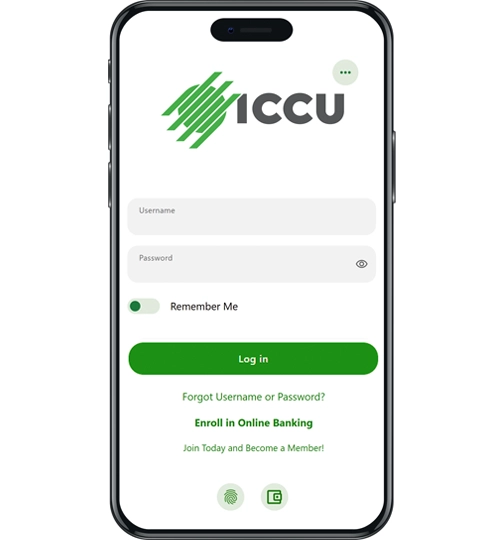
You can access eBranch through iccu.com or the ICCU Mobile Banking app. If you’re already enrolled, log in using your username and password. If you’re new to eBranch, register online to set up your access. During enrollment, you’ll verify your identity, create a username, and finish setup using a temporary password sent to your email.

What You’ll Need to Enroll

Have the following ready before you begin:
Consumers:
- Your last name
- Your Social Security number
- Your date of birth
- An ICCU account number
- A current email address where we can send your temporary password
Businesses:
- Your last name
- Employer Identification Number (EIN)
- Your date of birth
- An ICCU business account number
- A current email address where we can send your temporary password
How to Enroll in eBranch
Step 1:
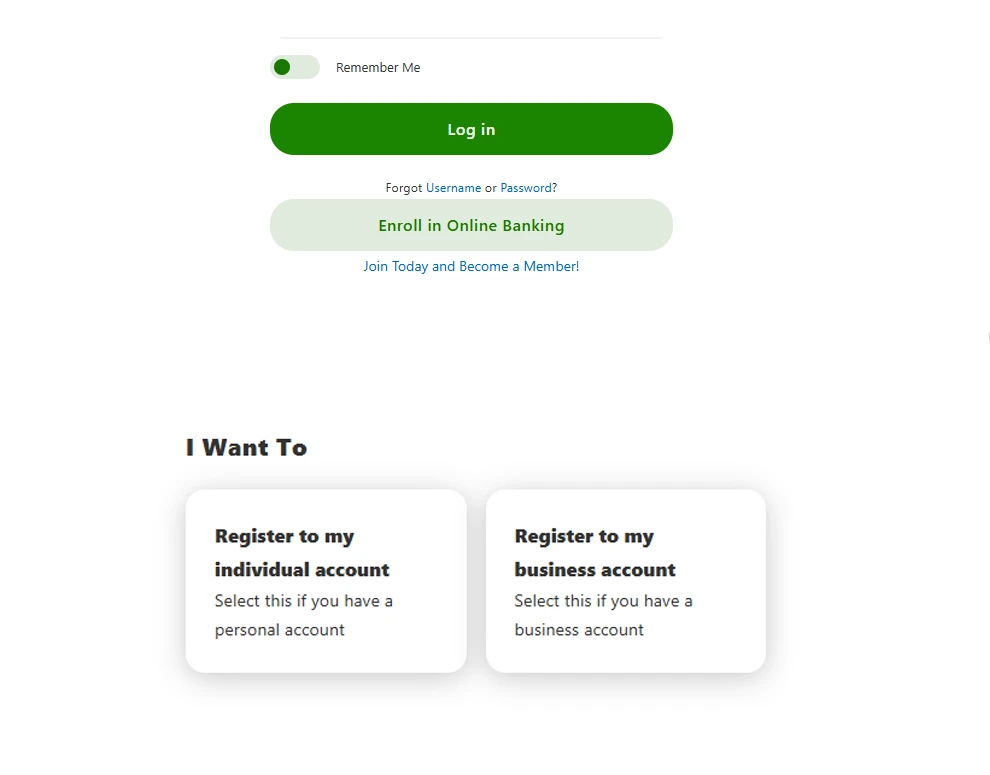
Visit the eBranch Login page or download the ICCU Mobile Banking app and select “Enroll Today.” If asked, select “Register as an Individual.”
Step 2:
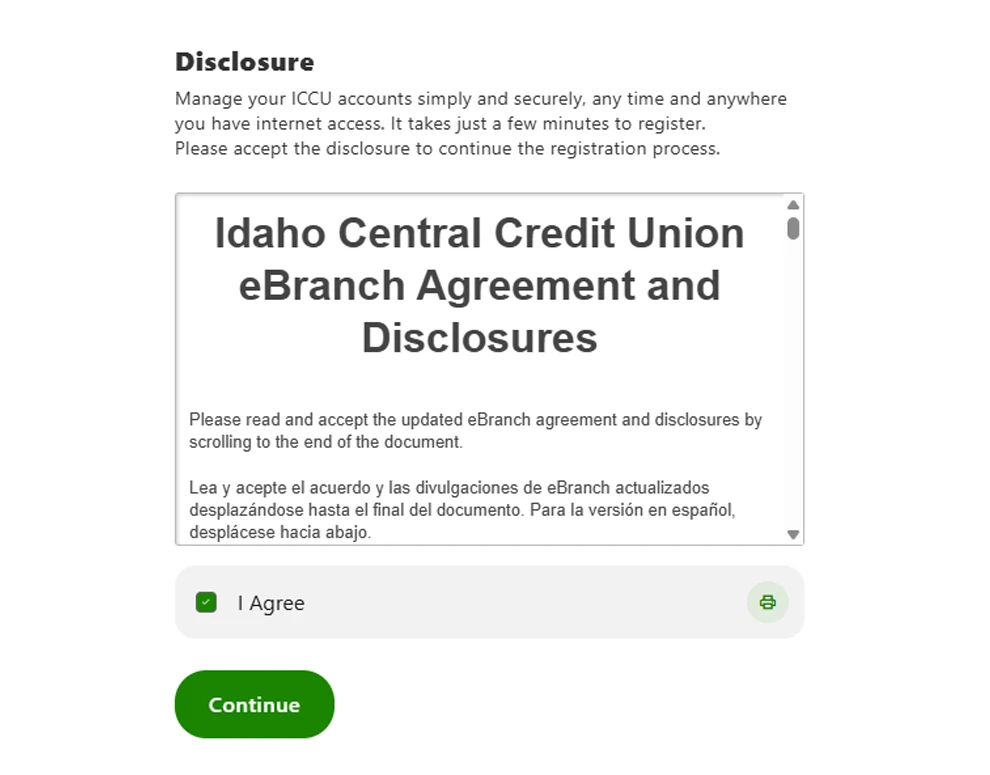
Read through and agree to the “eBranch Agreement and Disclosures.”
Step 3 Consumer:
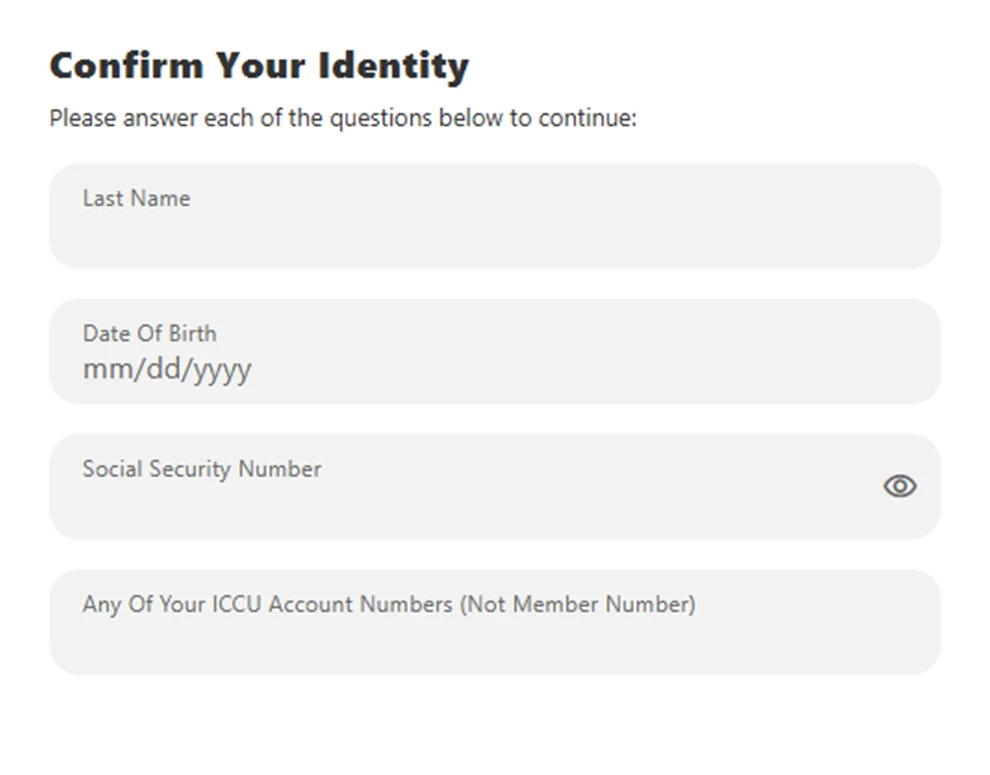
Verify your identity by entering your last name, Social Security number, date of birth, and an ICCU account number.
Step 3 Business:
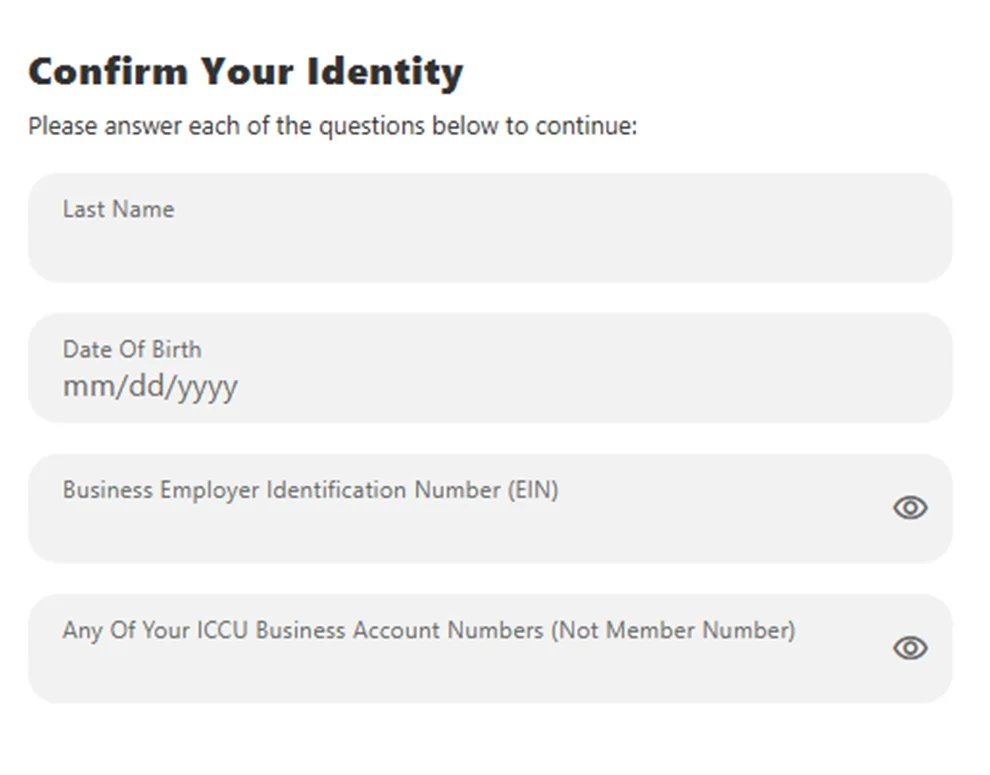
Verify your identity by entering your last name, EIN, date of birth, and an ICCU business account number.
Step 4:
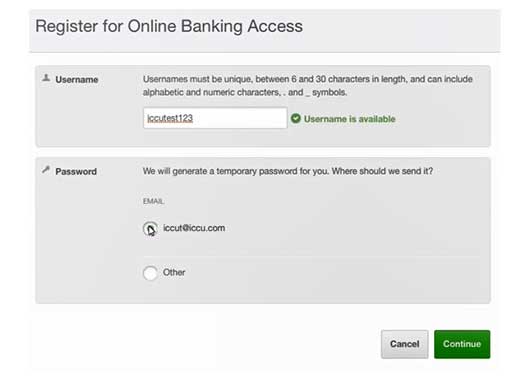
Create a unique username and check its availability. Select a current email address where we can send you a temporary password. On the next screen, enter the temporary password and click “Log In.” You will then be directed to set up your own password.
Step 5:
Once setup is complete, you can log into eBranch through iccu.com or through the ICCU app.
Need to Re-register?
If your eBranch profile was removed after a long period of inactivity, you can use the same registration steps above to set up access again. Re-registration may be required after 13 or more months of inactivity.
Already enrolled?
If you already have eBranch access, you can log in through iccu.com or the ICCU app using your username and password.
Need help?
For further assistance, call 1-800-456-5067 or chat with a live service agent through VideoChat.